How to Sign a PDF Online Without Printing It
Printing a contract, signing it with a pen, scanning it back and emailing the result is still how a lot of paperwork gets done. It is slow, it produces a worse file than the one you started with, and it is rarely necessary. Here is how to sign a PDF properly in a browser, and what actually matters once it is signed.
What an electronic signature really is
An electronic signature is not a picture of your handwriting. Legally, it is any mark or process attached to a document that shows you intended to agree to it. That intent is the part that carries weight — not how closely the squiggle matches your passport.
This matters because it changes what you should optimise for. People spend effort making their digital signature look convincing, when the things that hold up under scrutiny are simpler: that the right person applied it, that it was applied to the document itself, and that the file has not changed since.
Most everyday agreements — service contracts, NDAs, consent forms, rental paperwork, freelance agreements — are perfectly valid with an electronic signature in the EU under eIDAS, in the US under the ESIGN Act and UETA, and under equivalent rules in the UK, Canada, Australia and much of Asia.
Why the print-sign-scan loop makes things worse
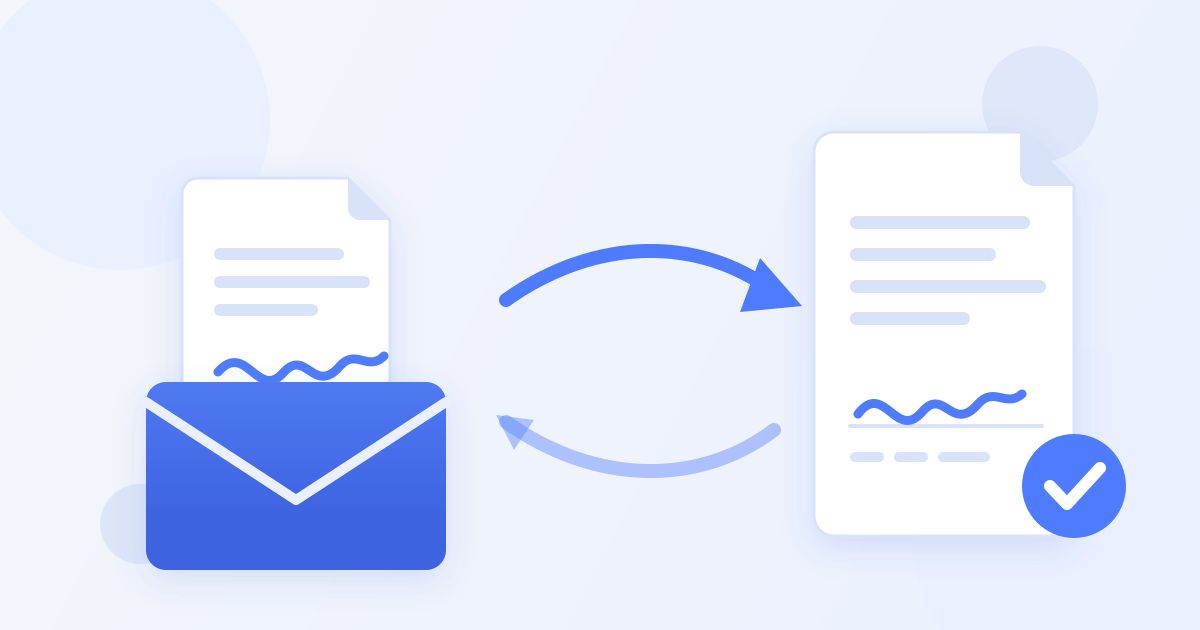
Every round trip through paper degrades the document. A crisp, selectable-text PDF goes in; a skewed, compressed photograph of a page comes out. The text stops being searchable, the file gets larger, and small print becomes genuinely hard to read.
It also breaks the thing you most want later: a clean chain from the original document to the signed one. A scan is a new file with no relationship to the original beyond looking similar. If a dispute ever turns on what exactly was agreed, a scan is weaker evidence than a signed copy of the original PDF.
Signing the document in your browser
The alternative is to apply the signature to the PDF itself. Open the document, place your signature where it belongs, and download the signed copy. There is nothing to install, and the result is an ordinary PDF that opens anywhere.
With Docsigns the signing happens in your browser rather than on a server, which means the document does not need to be uploaded somewhere to be signed. For anything confidential — an employment contract, a settlement, anything with financial details in it — that is a meaningful difference. You can see the steps in how it works.
Practically, signing in the browser also removes the most common leak in the whole process: emailing a document to yourself so you can open it on a phone, sign it there, and email it back.
Signing a Word document
Convert it to PDF first, then sign the PDF. This is not a limitation so much as the right order of operations. A .docx renders differently depending on the fonts installed, the version of Word, and the platform. Two people can open the same file and see different page breaks.
A PDF is fixed. What you sign is what the other party sees, which is the entire point of signing something. Signing a Word file and sending it on means signing something that may not look the same when it arrives.
What to do after it is signed
Do not re-export, re-compress or "optimise" a signed PDF. Every re-save is an opportunity for something to shift, and a signed agreement should stay exactly the file both parties agreed to. If someone asks you to shrink it, send the original and let them compress their own copy.
Send the signed PDF itself rather than a screenshot or a photo of it. A screenshot throws away everything that made the signed file useful and leaves you with an image that is trivially disputed.
Keep the signed copy somewhere durable — not only in the email thread it arrived in. Mail accounts get archived, migrated and closed. A signed agreement should outlive the inbox it passed through.
When a simple e-signature is not enough
Some agreements need more than intent. Property transfers, certain financial instruments, wills in many jurisdictions, and anything a regulator names specifically can require a qualified electronic signature — one backed by a certificate issued by a trust service provider that cryptographically binds the signature to a verified identity.
That is a different category of product, and it is worth knowing the line exists before you rely on a simple e-signature for something significant. If a contract, a lawyer or a regulator specifies a qualified or advanced signature, an ordinary electronic one will not satisfy it no matter how the file was produced.
For the large majority of paperwork that is not in that category, applying a signature cleanly to the PDF and preserving the file afterwards is both legally sufficient and practically better than the paper loop.
A short checklist
Convert to PDF before signing so the layout is fixed. Sign the document itself rather than a scan of it. Do not re-save or re-compress the signed file. Send the signed PDF, not an image of it. Store it somewhere that will outlast the email thread. And check, before you start, whether the agreement is one of the few that needs a qualified signature instead.
Frequently asked questions
Is an electronic signature legally binding?
For most everyday agreements, yes — under eIDAS in the EU, the ESIGN Act and UETA in the US, and equivalent rules elsewhere. What matters is that the signer intended to sign and the document is preserved unchanged. Some high-value or regulated agreements require a qualified signature backed by a certificate.
Do I need to install anything to sign a PDF?
No. Signing happens in the browser and the result is an ordinary PDF that opens anywhere.
Is signing in the browser safe for confidential documents?
With Docsigns the signing happens on your device rather than on a server, so the document does not need to be uploaded to be signed. That removes the riskiest step in most signing workflows, which is emailing the file around.
What is the difference between an electronic and a digital signature?
An electronic signature captures intent to sign. A digital signature adds a cryptographic certificate binding the signature to a verified identity, which some regulated agreements specifically require.
Can I sign a Word document directly?
Convert it to PDF first. A .docx can render differently depending on fonts and Word version, so signing it means signing something that may not look the same when it arrives.
Should I compress a signed PDF before sending it?
No. Every re-save risks altering the file, and a signed agreement should stay exactly what both parties agreed to. Send the original and let the recipient compress their own copy if they need to.