How to Sign an Invoice Electronically (Free, No Printing)
To sign an invoice electronically, open Docsigns, upload the invoice as a PDF, DOC or DOCX, draw, type or upload your signature, drag it onto the signature line, add the date if needed, and download the signed PDF. It is free, needs no account and adds no watermark, so the invoice you send looks exactly like the one you created, plus your signature.
That is the whole process. The rest of this guide covers the questions that come up around it: whether an invoice needs a signature at all, who should sign it (you, or your client acknowledging delivery), what else belongs on a signed invoice, and what a simple electronic signature can and cannot prove.
Does an invoice actually need a signature?
Often it does not. In many countries and industries an invoice is valid without any signature, and plenty of businesses send unsigned PDFs every day. But a signature is still common, and sometimes expected, in situations like these:
- A client's accounts payable team asks for one before they will process payment.
- You are a freelancer or contractor and want the invoice to look formal and clearly issued by you.
- Delivery or completion needs acknowledging: the customer signs to confirm the goods arrived or the work was done.
- A grant, reimbursement or expense claim requires a signed invoice or receipt as supporting evidence.
- Local tax or invoicing rules in your country call for it in certain cases.
If you are not sure, check your client's supplier instructions or ask an accountant. Rules differ by country, and this article is general information, not legal or tax advice.
How to sign an invoice online, step by step
- Export the invoice. Save it from your invoicing app, spreadsheet or word processor. A PDF is ideal; a Word file (DOC or DOCX) works too.
- Upload it to Docsigns. Go to the signer and choose your file.
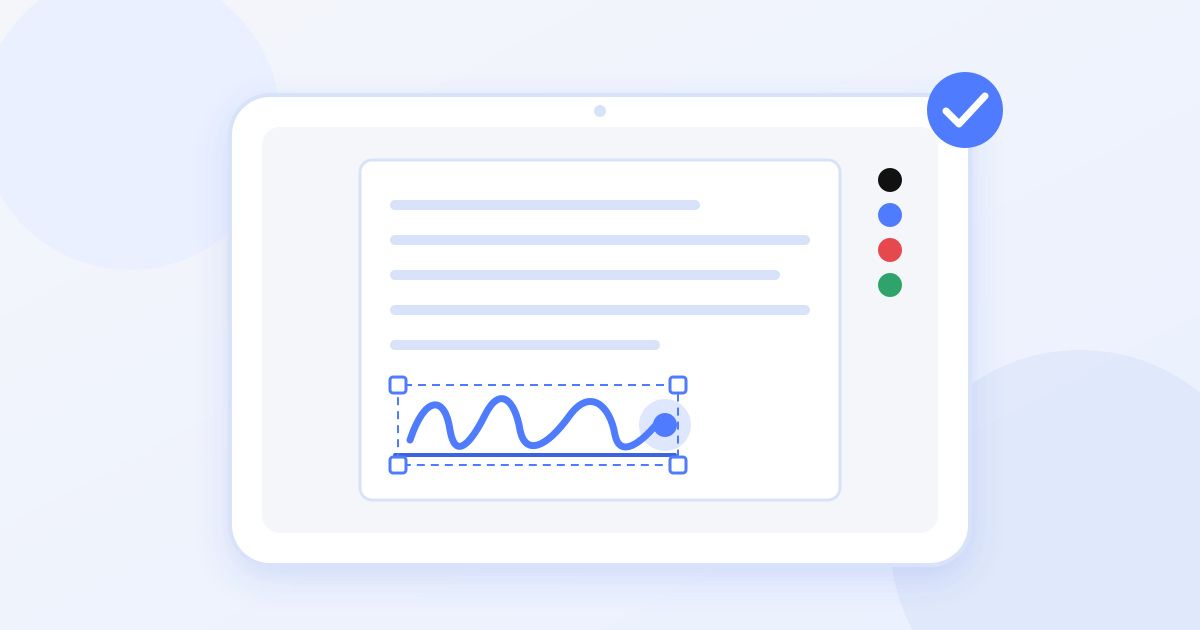
- Create your signature. Draw it with a mouse, trackpad or finger; type your name and pick one of six cursive fonts; or upload a photo or scan of your handwritten signature. Choose a pen colour: black and blue are the usual choices for business documents.
- Place it. Drag the signature onto the "Authorised signature" line, usually near the totals or at the bottom of the page, and resize it so it fits neatly.
- Add the date. Place a date next to the signature in the format your client uses.
- Download the signed PDF and attach it to your email or upload it to your client's supplier portal.
The how it works page shows the same three stages (upload, sign, download) if you want a quick visual overview first.
Which signature style suits an invoice?
| Method | Best when | Watch out for |
|---|---|---|
| Draw | You want it to resemble your pen signature and you are on a touchscreen | Mouse-drawn signatures can look shaky; a phone or tablet usually gives a smoother line |
| Type | You send many invoices and want a consistent, tidy look | Pick one font and stick with it so every invoice matches |
| Upload | You already have a scanned signature on file | Use a clean scan on white paper so the background does not show as a grey box |
For regular invoicing, consistency matters more than style. Whichever method you choose, using the same one every time helps your clients recognise invoices that genuinely came from you.
Signing on behalf of your business vs the client signing
There are two very different signatures that can appear on an invoice, and it helps to be clear which one you need.
The issuer's signature
This is you, or someone authorised at your business, confirming the invoice was issued by you. It usually sits beside a line such as "Authorised signatory" with your name and job title typed underneath. You add it before sending.
The customer's acknowledgement
Some invoices, especially for delivered goods or completed on-site work, include a "Received by" line for the customer. In that case you send the unsigned invoice, the customer signs it, and they return it. Docsigns works for this too: your customer uploads the PDF, adds their signature and date, and downloads it. Keep in mind that Docsigns has no request-and-track workflow, so you send and receive the file yourself, by email or however you normally exchange documents.
What else should a signed invoice include?
A signature does not rescue an incomplete invoice. Before you sign, check that it has the basics clients and accountants expect:
- A unique invoice number and the issue date
- Your business name, address and contact details, plus any tax or registration number your country requires
- The client's name and address
- A clear description of the goods or services, quantities and rates
- Subtotal, tax and total due, in the correct currency
- Payment terms and due date, and how to pay
- Your printed name and role next to the signature
Sign last. If you spot a mistake after signing, correct the original file and sign the new version rather than editing a signed copy.
Is an electronically signed invoice valid?
For most everyday business documents, electronic signatures are recognised under laws such as the ESIGN Act and UETA in the United States and eIDAS in the European Union, and many other countries have equivalent rules. An invoice is normally well within that everyday category.
Be precise about what Docsigns produces, though. It creates a simple electronic signature: an image of your signature placed on the document. It is not a qualified or certificate-based digital signature, and the file does not carry an audit trail. Some jurisdictions and sectors, for example certain public-procurement or e-invoicing systems, require certificate-based signatures or structured electronic invoices submitted through an official platform. If that applies to you, a signed PDF will not replace it. The Docsigns blog explains the difference between electronic and digital signatures in more depth.
Privacy: PDFs vs Word invoices
Invoices contain names, addresses, bank details and prices, so it is worth knowing where the file goes.
- PDF invoices are signed in your browser. The PDF itself is not uploaded to a server to be signed.
- DOC and DOCX invoices are first converted to PDF on a server, then signed in the browser. If you would rather your invoice not leave your device at all, export it to PDF from Word, Google Docs or your invoicing app before signing.
The privacy policy sets out the details.
Tips for a professional result
- Keep the signature proportionate. It should fit the line, not cover the totals.
- Use a neutral colour. Black or blue reads as a normal pen signature; save red and orange for internal notes.
- Name the file clearly, for example with the invoice number and client name, so it is easy to find in the client's system and yours.
- Keep your own copy of every signed invoice you send. Docsigns does not store documents for you, so the download is your record.
- Sign on your phone if you are away from your desk. The signer works in a mobile browser, and a finger-drawn signature often looks more natural than a mouse-drawn one.
Signing an invoice should take a minute, not a trip to the printer and scanner. Upload it, sign, date, download, send.
Frequently asked questions
How do I add my signature to an invoice?
Upload the invoice to Docsigns as a PDF, DOC or DOCX, create your signature by drawing, typing or uploading it, drag it onto the signature line and download the signed PDF. It is free, with no account and no watermark.
Does an invoice need to be signed?
Often not, but some clients, grant bodies and local rules expect one, and a signature makes the invoice look formally issued. Check your client's supplier instructions or ask an accountant if you are unsure; requirements vary by country.
Is an electronically signed invoice valid?
For most everyday agreements and business documents, electronic signatures are recognised under laws such as ESIGN, UETA and eIDAS. Some sectors or e-invoicing systems require certificate-based qualified signatures or official submission platforms, which a simple electronic signature does not replace.
Can my customer sign the invoice to confirm delivery?
Yes. Send them the unsigned invoice; they can upload it to Docsigns, add their signature and date on the received-by line, and send the signed PDF back to you. Docsigns does not send signing requests itself, so the file is exchanged by email or your usual channel.
Can I sign a Word invoice?
Yes. DOC and DOCX files are converted to PDF on a server first and then signed, and the result downloads as a PDF. If you prefer the file not to leave your device, export it to PDF before signing, since PDFs are signed in the browser.
Can I sign an invoice on my phone?
Yes. Docsigns works in mobile browsers, and drawing your signature with a finger often looks smoother than using a mouse. The signed PDF downloads to your phone, ready to attach to an email.